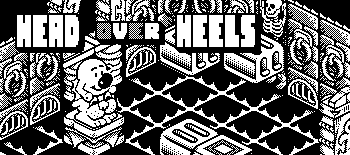
Head over Heels for Playdate
The Commodore 64 classic, remade for the Playdate: all 301 rooms, the original music.
Download for PlaydateInstalling
- Over the air: log in at play.date/account/sideload, upload the zip, then on the Playdate open Settings → Games and download it.
- With a cable: unzip it, connect the Playdate, choose Settings → System → Reboot to Data Disk, and copy
HeadOverHeels.pdxinto theGamesfolder.
A newer version installs over the old one; the saved game and the settings are kept.
About the project
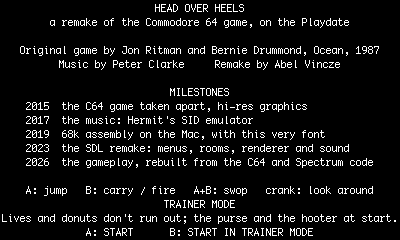
Head over Heels was written by Jon Ritman and Bernie Drummond and published by Ocean Software in 1987, with music by Peter Clarke. This is a faithful remake of its Commodore 64 version by Abel Vincze: the game was taken apart and rebuilt routine by routine from the C64 and ZX Spectrum code, so the rooms, the puzzles and the enemies behave as they did, with hi-res graphics and the original music played by an emulated SID chip (Hermit's cSID).
The same game also runs on macOS, Windows and Linux; a version in assembly for the black and white 68k Macintosh is the next step.
The Playdate version
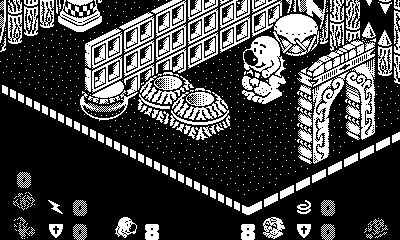
- The whole game on the 400×240 one-bit screen, at 30 frames a second.
- Rooms are bigger than the screen: the view starts where the original game shows the room and scrolls to keep your character in sight.
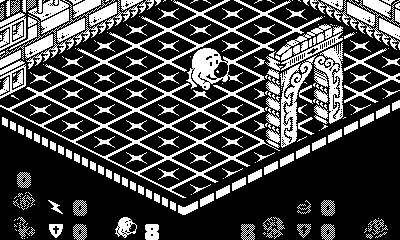
- The status display (lives, shields, speed, springs, donuts, the purse) sits over the room with a thin black outline.
- The original music and sound effects, from the SID emulation.
- The game you leave is kept: choose Continue next time.
- Trainer mode: press B on the intro page – lives and donuts don't run out, and a new game starts with the purse and the hooter.
How to play
Head and Heels, two spies, have to free the five planets of the Blacktooth Empire by finding their crowns. They start apart. Head jumps high, glides and fires donuts with the hooter; Heels runs fast and carries things in the purse. Find each other and put Head on top of Heels to use both at once.
| D-pad | Move |
| A | Jump |
| B | Heels carries, Head fires – together, both |
| A + B together | Swop between Head and Heels |
| Crank | Look around the room |
| Menu button | Sound (lots, less, off) and finish game |
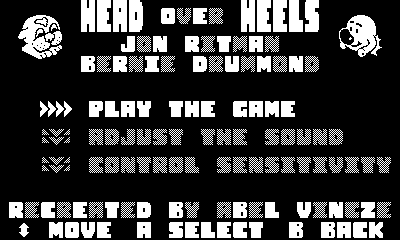
In the menus the D-pad or the crank moves the cursor, A selects and B goes back.
Looking around with the crank
Turn the crank to see the parts of the room that are off the screen.
- Turn it anticlockwise to look up, clockwise to look down – never lower than where the game shows the room.
- Keep turning at an edge and the view carries on sideways, as far as the room goes; at the next edge it turns up or down again, and so on. One long turn takes you around the whole room. (At the normal view a clockwise turn goes sideways straight away.)
- Rest the crank for a moment and the next turn starts up or down again.
- The view stays where you left it as long as your character is on the screen, so you can play on from there. If the character is out of sight, the view comes back to them when you move or after three seconds.
- Docking the crank brings back the normal view.