Cyclotron Support
GPS bike computer for iPhone
Get in touch
Questions, bug reports and feature requests are all welcome. Write to support@iparigrafika.hu and include your iPhone model and iOS version if you are reporting a problem — it usually saves a round trip.
There is no account to recover and no subscription to cancel: Cyclotron is a one-off app that keeps everything on your device.
Getting started
1. Allow location access
Cyclotron measures speed and distance from GPS, so it needs location access. Choose Always if you want a ride to keep recording with the phone locked or in a pocket. While Using the App works too, but recording may stop when the screen locks.
2. Mount the phone and tap play
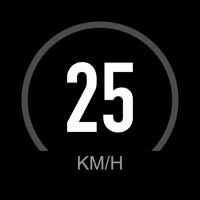
The large readout is designed to be read at arm's length in daylight. Tap the play button to start recording; the stop button finishes the ride and asks whether to save it.
3. Tap anywhere to switch views
Tapping outside the map swaps between the map view and the full set of statistics — elapsed and moving time, distance, average, maximum and climb. Tap again to bring the map back.
Frequently asked
Why does it ask for “Always” location access?
A ride continues while the phone is locked or in a pocket. With “While Using the App”, iOS suspends the app when the screen locks and recording stops — you lose the rest of the ride. “Always” is what keeps it recording door to door. iOS shows a blue indicator whenever Cyclotron is recording in the background, so you always know.
The speed shows zero, or seems wrong
Check that location access is granted in Settings → Privacy & Security → Location Services → Cyclotron. GPS also needs a view of the sky: under heavy tree cover, between tall buildings or in a tunnel, accuracy drops and the header shows a larger ± figure. Cyclotron falls back to the motion sensor in those conditions, so the readout keeps working, but it is an estimate until GPS recovers.
Recording stopped when I locked the screen
That is the symptom of “While Using the App” permission. Open Settings in Cyclotron, tap Request background permission, and choose Always — or set it directly in iOS Settings → Privacy & Security → Location Services → Cyclotron → Always.
What does auto-pause do?
It is off by default, so the clock keeps running at traffic lights and your average covers the whole outing door to door. Switched on in Settings, the ride pauses itself after a few seconds standing still and resumes when you ride off, so the average reflects only moving time — the way a bike computer usually reports it. The stat is labelled “Riding” or “Moving” to match.
My ride was not offered for saving
A ride under both 50 metres and 60 seconds reads as an accidental start, so Save is deliberately not offered — only Discard and Keep riding. The prompt says why. This avoids filling your history with taps you did not mean to make.
How do ghost rides work?
Tap the ghost badge on the map and pick any saved ride that has a recorded route. It replays alongside you at the speed you originally rode it, so you can see whether you are ahead or behind. Pauses in the original ride are collapsed, so the ghost never parks for minutes at a junction.
Can I switch to miles?
Yes — Settings → Units. Everything converts: speed, distance and climb. Decimal separators follow your region, so the numbers read the way you expect.
How do I delete a ride?
Open History and swipe left on any ride, or tap Edit to remove several. Deleting a ride removes it from the device permanently — there is no cloud copy to restore from, because nothing is ever uploaded.
Does it drain the battery?
Continuous GPS uses meaningful power, as it does in any ride tracker. The screen is the larger cost: the display stays awake while you ride with it on, so a handlebar mount with a charger is worth it on long rides. Dark appearance is easier on the battery; light is more readable in direct sun.
Where is my data stored? Is it backed up?
Rides are stored on the device only. Cyclotron makes no network calls, so nothing is uploaded and there is no server-side copy. Your rides are included in an encrypted iPhone backup, so restoring a backup restores your history. Deleting the app deletes the rides with it.